Friday, May 17, 2013

Demystifying WebLogic and Fusion Middleware Management


Demystifying WebLogic and Fusion Middleware Management --- by Glen Hawkins, Senior Director, Product Management

This week, we are going to switch gears and talk about something that is near and dear to everyone responsible for running applications and middleware in their environment and that is monitoring and management with specific emphasis on the Oracle Enterprise Manager Cloud Control solution. 
Often, this particular topic is dismissed early in the architectural discussion and doesn’t rear its (sometimes ugly) head until development is fairly far along on a new application and planning their deployment or worse, problems in production begin to impact the overall service levels of an application to the point that the end-users are complaining or top line revenue is being lost because of poor performance or reliability problems.  The result is that the inexperienced will treat monitoring and management of their middle tier and their application system as a whole as an afterthought, while those that are more experienced or forward looking will tackle it from day one.
So, let's start with some common pitfalls or myths that people run into when considering or planning the deployment of their management along with some discussions on each of these points:

I think that most that have attempted this in the past have learned the error of their ways.  Most tools such as administration consoles like the WebLogic Administration Console are designed to get the product up and running and for general configuration and administration purposes of a single domain.  They are not intended as a solution to monitor and manage many domains (possibly even multiple versions of those domains) as well as the entire application infrastructure (i.e. Databases, Hosts, Message Queues, Service Buses, etc) at once.  And, they routinely don’t provide any historical metrics or real 24/7 diagnostics.  No administrator wants to be in a situation where a problem occurred an hour ago and they no longer have any information on it because they only have real-time data.  You need both real-time and historical monitoring and diagnostics capabilities. 
In addition, administrators routinely want to be able to answer the usual question that comes up when everything was running fine one day and fails to perform on the next, which is “what has changed”.  You need historical information to refer to at all tiers of the application including the host as well as visibility across the stack including both monitoring and configuration data to answer that question. 
Possible answers could be that the end-users have increased, the way the end-users were using the application has changed (i.e. that marketing event you didn’t know about changed behavior), application changes, WebLogic domain changes, JVM changes, a patch was applied, or someone even may have started running something new on the machine or impacted the OS. 
Correlating these changes and coming to a quick conclusion is key to ensure optimal application service levels in a production environment for your end-users.  That means that you need a full stack 24/7 real-time and historical monitoring solution that can also provide meaningful diagnostics and and track/compare configuration standards across the entire application system stack which is something that only Oracle Enterprise Manager Cloud Control is able to provide in the case of the Oracle stack.
This one is quite simple at the end of the day, especially for those that have been pulled into a war room in regards to a production application emergency with all the finger pointing and frustration that routinely ensues.  The various team members responsible for the different portions of an application system almost always need to collaborate to resolve problems.  By using separate tools, collaboration can be slow and frustrating. 
A single pane of glass with different roles and privileges mitigating who can see what allows everyone to speak the same language.  At the end of the day, when a fire drill arises, communication and collaboration will allow you to pull through, which is greatly enhanced with the correct solution. 
Oracle’s Enterprise Manager Cloud Control solution was designed to promote this level of communication between roles with flexible dashboards providing different views of the application to different team members and diagnostics that can provide meaningful diagnostics such as bi-directional navigation between JVM threads and Oracle database sessions which goes well beyond just isolating SQL calls and the Middleware Diagnostics Advisor which provides recommendations diagnostic findings for WebLogic stack to quickly cut down on your time to resolution as opposed to raw metrics which force you to piece together fragments of the story from completely separate tools.
I think this particular myth tends to surprise those that are new to application and middle-tier management.  In development environments, particularly during the QA and load testing phases for most applications, the environments are usually so well controlled and, as they are not in production, you can more easily reproduce errors and attempt to resolve them in these environments.  However, in production environments, it becomes extremely difficult to reproduce issues as the load, network, application environment, and overall intermittent behavior of all of the tiers can challenge even the most technical operations person including those who developed the application in the first place. 
We routinely see issues reported by end-users in production environments where monitoring is minimal. Often, hours, days, even weeks are spent trying to reproduce issues or waiting for them to happen again if they are intermittent and no historical monitoring and diagnostics is available in the environment.  The bottom-line is that you need to be able to diagnose problems in the production environment itself.
Within Enterprise Manager Cloud Control, both historical and real-time metrics are available 24/7 across all tiers and they are correlated together.  Let me provide a quick simple example of a possible root cause analysis scenario where an application is perhaps degrading in performance over time.  Memory analysis tools by themselves are not able to pinpoint the problem, but it is clear that there is a buildup of referenced objects on the heap (i.e. possibly falling under the high level classification of a “memory leak” like issue, but then again there are possibly other causes).  The historical solution might be to attempt to restart servers on a regular basis trying to maintain high availability as you do, but that will not get you closer to finding the real issue and it is a band-aid at the end of the day that may very well fail when and if capacity increases for your application.
Let’s say we start with getting a notification from Enterprise Manager Cloud Control that a critical alert has occurred on the Work Manager – Pending Requests metric indicating there is a buildup of requests in the application.  This an early indicator and the Request Processing Time alert likely soon to follow if the trend continues, so let’s jump in and diagnose the problem.
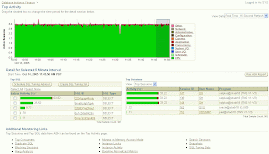
First, let’s look at one of the higher level customizable dashboards in the product to see the lay of the land:
We can see from our WebLogic application above (just a simple Medrec example in this case) that all of our servers look like they are up and running, some of our heap and other metrics look high, but not unreasonable with the exception of some of our JVMs which show some DB Wait locks in red in the right-most bottom table.  This is a sure indicator that the pending requests that we were alerted to earlier are likely associated with calls of some kind to the back-end database.  If I click on the JVM in question, I can take this down a level.
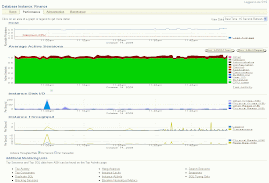
Now we are on our JVM target home page within our WebLogic Domain hierarchy (many more metrics and capabilities there that we won’t go into in this blog, but I will provide links below to see those capabilities) where we can see a bit more detail and filter on anything to our heart’s delight by clicking on the various hour glasses to search on methods, requests, SQL, thread state, ECID (a transaction ID in FMW), and other criteria, which will filter the graphs further down the page which show thread breakdowns by many of these dimensions.  I could also immediately create a diagnostic snapshot of the data to look at later if I so desired.  I can also click on the Threads tab (next to the highlighted “General” tab above) and look at historical thread data or play with the timeframe, but we can see just by looking at this that we were correct about the threads in the DB Wait state and it has been going on for some time now.  Let’s navigate from historical to JVM live threads (collected every 2 secs using native thread sampling as opposed to byte code instrumentation) to try to determine the root cause of why so many threads are stuck in the DB Wait state.
Looking above, it is apparent that we are running an SQL prepared statement originating from a front-end request from the “/registerPatient.action” URL.  I could then click on the “SQL ID” to actually bring myself to the SQL in question within a tuning screen, but the route of more interest is to click on the DB Wait link highlighted in the lower half of the screen for one of the threads.  This will take me into a read-only view of the actual Oracle database session itself.
Here we are in the database session itself.  As an operations person or developer, my options are obviously very restricted, but I can see that there is a blocking session ID.  Better yet, I can now click on that blocking session ID and see that something that is entirely outside of my WLS container or JVM  is causing contention and I can now communicate with my DBA to address the problem.  This could have been just as easily a badly tuned SQL statement or perhaps indicated an index problem.  Likewise, I could have discovered that my threads were locked by one another or a Network Wait or even File IO.  There are a multitude of possibilities, but because I have a tool that can see across these tiers, I can quickly diagnose the issue and I am speaking the same language as my DBA.  DBAs can also drill back up by the way from SQL statements to the JVM and WLS container (also in read-only mode obviously), so they can be proactive about maintaining the application.  This is just one simple example of how Enterprise Manager Cloud Control facilitates this type of communication between roles as there are many other similar features from the dashboards which can be tweaked per role giving the appropriate visibility for the various team members or the incident management that is designed to allow teams to collaborate or even work with Oracle Support via the WebLogic Support Workbench if necessary.
It is true that most Java transaction tracing solutions create overhead because of byte code instrumentation.  There is certainly a time and place for this type of diagnostics which can be very detailed and rich in its analysis.  Within Oracle Enterprise Manager Cloud Control, we do have an optional advanced diagnostics feature that provides this functionality.  Overhead is routinely much lower than just about any other solution out there, and it is indeed able to run 24/7 without incurring much overhead.  For many, the little overhead required is reasonable and well worth the enormous amount of visibility you get by being able to track individual or groups of transaction through each tier of your application isolating problems based on the actual payload.
However, for those who prefer to not use byte code instrumentation, the entire example provided above does not require any.  It simply uses the stack metrics collected from the Enterprise Manager Cloud Control agent, which sits on the host (not in the WLS container and thus out of process) and the JVMD agent, an extremely lightweight agent (just a war file) that uses native code sampling (no byte code instrumentation and thus no restart of the managed server).  The bottom-line is that you can get a ton of visibility without incurring any noticeable overhead and decide where and if you want to also trace transactions on an individual basis.  This type of flexibility ensures that all diagnostics needs are met.
Alright, so that was my last myth to dispel for this blog.  I could go on for quite some time and show the many other capabilities of the Enterprise Manager product such as the earlier mentioned Middleware Diagnostics Advisor, log viewing and alerting, the multitude of dashboards, thresholds, lifecycle management, disaster recovery, and patch automation features that span the full capabilities of Oracle’s solution for WebLogic and Fusion Middleware management, but perhaps there will be time for another blog on those topics later.
For now, I will leave you with some resources to help you leap beyond the myths.
Additional Resources 
Free Online Self-Study Courses from Oracle Learning Library (OLL)
WLS Performance Monitoring and Diagnostics
WLS Configuration and Lifecycle Management
Coherence Management
Real User Experience Insight

Thursday, April 11, 2013

Oracle Enterprise Manager Cloud Control 12c for Exalogic: Setting up Apps-to-Disk Monitoring


By Gagan Chawla


Exalogic is the logical choice for running Business Applications and provides an excellent consolidation platform hosting wide range of application workloads. It’s important to have a comprehensive Apps-to-Disk monitoring of Exalogic system enabled including monitoring of business applications, software and hardware components together from a single Oracle Enterprise Manager Cloud Control 12c console.
There are two Exalogic configuration flavors specifically in the way Exalogic is implemented 1) Virtualized or 2) Non-virtualized/physical configuration. More details on system configuration with each Exalogic release are described in this MOS note here.
In this blog post, we will cover important steps that are required to enable Oracle Enterprise Manager Cloud Control (CC) 12c as a centralized monitoring platform with Apps-to-Disk visibility for either configuration of Exalogic.

Setting up Oracle Enterprise Manager Cloud Control 12c for monitoring virtualized Exalogic stack 

  • Setup your EM CC 12cR2 site with latest PSU if not already done. Refer to EM 12cR2  install/upgrade guide here
  • Deploy EM CC 12cR2 agent on Exalogic Control Ops Center Enterprise Controller(EC) vServer
  • Export Ops Center Enterprise Controller trust certificate and import it to Enterprise Manager Cloud Control Management Agent
    • Ops Center Certificate should be imported to agent running on Ops Center Enterprise Controller.
    • Steps to Export and import the certificate here 
      It's recommended to use emctl to import - emctl secure add_trust_cert_to_jks -trust_certs_loc $CERT_LOC/oc.crt -password welcome -alias
    • Restart the agent after importing the certificate
  • Deploy EM CC 12cR2 agent on OVM Manager(OVMM) vServer. Deploy Oracle Virtualization (VT) plug-in on OMS if not already done and on agent installed on OVM Manager vServer.
  • Configure OVMM for read-only access [Mandatory]. Steps to configure OVMM for read-only access are here. If OVMM was registered with EM CC prior to performing this mandatory configuration then you must run synchronize operation from OVMM target menu in EM CC [Important]. Note – vDC operations are done via Exalogic Control that has embedded EM Ops Center pre-installed in the Exalogic system. Refer to Exalogic Administrator’s guide here
  • Register OVMM in EM CC site by following EM CC Cloud Administrator’s guide here . It’s recommended to use the same EM CC 12cR2 agent deployed on the OVMM vServer during the OVMM registration process.
  • Deploy and configure EM CC ZFS plug-in by referring to ZFS plug-in installation guide here. It’s recommended to use the agent deployed on Ops Center Enterprise Controller vServer for discovering ZFS Storage Appliance target.
  • Deploy and configure EM CC Engineered System Healthchecks plug-in by referring to plug-In Installation Guide here. It’s recommended to use the agent deployed on Ops Center Enterprise Controller vServer for discovering Healthchecks target.
  • Discover Exalogic system using Targets -> Systems UI and select deployment type ‘Virtual’ and use agent deployed on Exalogic Enterprise Controller for Exalogic targets discovery.
  • Configure Exalogic Guest Base Template and Exalogic network by referring to following guide here and deploy agents on guest vServers
  • FMW, Apps targets and Application stack should be discovered in EM CC. In case of Oracle Applications on Exalogic, it’s recommended to have respective Apps plug-ins (FA, EBS, PSFT, Siebel etc) deployed and configured. Refer to Applications Management pack collateral here.
EM CC Plug-Ins required in case of virtualized Exalogic configuration –
  • Fusion Middleware (FMW) Plug-in [Default plug-in and deployed out-of-box] - enables overall Exalogic stack management. Exalogic monitoring for virtualized configuration was introduced in FMW 12.1.0.3 plug-in (EM 12cR2 release)
  • Oracle Virtualization (VT) Plug-in – enables Virtual Targets monitoring integration. VT monitoring integration for Exalogic was introduced in VT 12.1.0.3 plug-in (EM12cR2 release)
  • ZFS plug-in – enables ZFS target monitoring
  • Engineered System Healthchecks plug-in – enables Exachk integration in EM CC
  • Oracle Applications plug-ins (FA, EBS, PSFT, Siebel etc) – enables respective Application Management capabilities

Setting up EM CC 12c for monitoring non-virtualized/physical Exalogic stack

  • Setup your EM CC 12cR2 site with latest PSU if not already done. Refer to EM 12cR2  install/upgrade guide here
  • Deploy EM 12cR2 agents on all Compute Nodes. 
  • Discover Exalogic system via Targets -> Systems UI and select deployment type 'Physical’ and use any of the agents deployed on compute nodes for Exalogic targets discovery
  • Setup your EM Ops Center (OC) 12c site if not already done. Refer to EM OC 12c installation guide for Linux OS here and in case of Solaris OS here
  • Discover Exalogic infrastructure targets in EM OC 12c by following EM OC feature reference guide here
  • Deploy Exalogic Elastic Cloud Infrastructure (EECI) plug-in on EM CC OMS and management agent installed on OC Enterprise Controller server. Refer to EECI Plug in Install guide here for details and it’s also recommended to apply EECI plug-in patch 14214742. Each infrastructure component must be already discovered and managed in EM OC in previous step. Availability, performance and configuration Metrics for infrastructure components related to are collected by EM CC agent through EM OC JMX client.
  • Configure EM OC Enterprise Controller and EM CC repository connection by following EM OC Plug in guide here
  • Discover ‘Elastic Cloud Infrastructure’ target via Setup -> ‘Add Target’ -> ‘Add Targets Manually’ option and using agent deployed on Ops Center Enterprise Controller
  • Deploy and configure EM CC ZFS plug-in by referring to ZFS plug-in installation guide here. It’s recommended to use the agent deployed on EM OC Enterprise Controller server for discovering ZFS Storage Appliance target.
  • Deploy and configure EM CC Engineered System Healthchecks plug-in by referring to plug-In installation Guide here. It’s recommended to use the agent deployed on EM OC Enterprise Controller server for discovering Healthchecks target.
  • FMW, Apps targets and Application stack should be discovered in EM CC.In case of Oracle Applications on Exalogic, it’s recommended to have respective Apps plug-ins (FA, EBS, PSFT, Siebel etc) deployed and configured. Refer to Applications Management pack collateral here.

EM CC Plug-Ins required in case of non-virtualized/physical Exalogic configuration –
  • Fusion Middleware (FMW) Plug-in [Default plug-in and deployed out-of-box]  – enables overall Exalogic stack management.
  • Exalogic Elastic Cloud Infrastructure (EECI) plug-in - enables Exalogic rack infrastructure components monitoring in EM CC
  • ZFS plug-in – enables ZFS target monitoring
  • Engineered System Healthchecks plug-in – enables Exachk integration in EM CC 
  •  Oracle Applications plug-ins (FA, EBS, PSFT, Siebel etc) – enables respective Application Management capabilities
Additional Collateral -

Contributed by Gagan Chawla, Saurabh Sachdev and 
Sumit Choudhary

Database as a Service: Glad that you asked these!


By Sudip Datta


Thanks for visiting my earlier blog post on the new Database as a Service (DBaaS) features which got released in Enterprise Manager 12cR2 Plugin Update 1.
Our first public webcast on DBaaS since the release was pretty well attended with peak attendance going well over our expectation. I wish we had more time to handle the technical Q&A, but since we didn't, let me use the blogosphere to answer some of the questions that were asked. I am repeating some of the questions that we answered during the webcast, because they warrant details beyond what the duration permitted.
Kevin from the audience asked "What's the difference between a regular provisioning and DbaaS?" Sometimes the apparently obvious ones are the most difficult to answer. The recently released whitepaper covers the regular/traditional provisioning versus DBaaS in detail. Long story cut short, in a traditional provisioning model, IT (usually a DBA) uses scripts and tools to provision databases on behalf of end users. In DBaaS IT's role changes and the DBA simply creates a service delivery platform for end users to provision databases on demand as and when they need them. And that too, with minimal inputs ! Here's how the process unfolds:
  • The DBA pools together a bunch of server resources that can host databases or a bunch of databases that can host schema and creates a Self-Service zone.
  • The DBA creates a gold image and provisioning procedure and expresses that as a service template
  • As a result, the end users do not have to deal with the intricacies of the provisioning process. They input a couple of very simple things like the service template and the zone and everything else happens under the hood. The provisioning process, the physicality of the database, etc are completely abstracted out.
  • And finally, because DbaaS deals with shared resource utilization and self-service automation, a DBaaS is usually complemented by quota, retirement and chargeback. 
The following picture can make it clear.
    In terms of licensing, for a traditional administrator driven database provisioning, you need the Database Lifecycle Management Pack.  If you want to enable DBaaS on top of it, simply add the Cloud Management Pack for Database. 
    I will combine the next two questions. Alfred asked, "Is RAC a requirement?" (the short answer for which is "No") while Jud asked, "Is the schema-level provisioning supported in an environment where the target DBs are running in VMs?" First of all, in our DBaaS solution we support multiple models, as shown below.
    In the dedicated database model, the database can run on a pool of servers or a pool of cluster. So both single instance and RAC are supported. Similarly, in the dedicated schema (Schema as a Service) model, it can run on single instance or RAC, which can in turn be hosted on physical servers or VMs. Enterprise Manager treats both physical servers and VMs as hosts and as long as the hosts have the agent installed, they can participate in DBaaS. Bottomline is that as we move from IaaS and offer these higher order services, the underlying infrastructure becomes irrelevant. This should also satisfy Steve, who queried "As the technology matures is there an attempt by Oracle to provide ODA vs EXADATA as the foundation of the dbaas to lower the cost?". The answer is YES. But, why wait?  DBaaS is supported on Exa and ODA platforms TODAY. In fact, HDFC Bank in India is running DBaaS on Exadata. You can read about them in the latest Oracle Magazine.
    Another interesting question came from Yuri. He asked, "Is there an option to disable startup/shutdown for the self-service users?" It can be answered in multiple ways. First of all, in Schema as a Service or dedicated schema model, the end user cannot control the database instance state because it houses database services (schemas) owned by others too. So this may be a good model for enterprises trying to limit what end users can do at the database instance level.  However, in a dedicated database model, the Enterprise Manager out-of-box self-service console allows the end user to perform operations like startup and shutdown on the database instance. In general, if you want to create your tailored own self-service console with a limited set of operations exposed in the self-service interface, using the APIs may be the way to go. Enterprise Manager 12c also supports RESTFul APIs for self-service operations and hence a limited set of capabilities may be exposed. Check this technical presentation for the supported APIs.
    Gordon's question precisely brings out the value of the Enterprise Manager 12c offering. He asked, "How do the services in the cloud get added to Cloud Control monitoring and alerting?" Ever since Amazon became the poster child of public IaaS, enterprises tried emulating their model within the data centers. What most people ignore or forget is that there is a life of the resources in a cloud beyond the provisioning process. Initial provisioning is just the beginning of that lifecycle. In Amazon's case, the management and monitoring of resources is the headache of Amazon's IT staff and consumers are oblivious to the time and effort it takes for them to manage the resources. In a private cloud scenario, one does not have that luxury. Once the database gets provisioned, it needs to monitored for performance, compliance and configuration drifts by company's own  IT staff. In Enterprise Manager 12c, the agent is deployed on the hosts that constitute the pool making the databases automatically managed without any additional work. It comprehensively manages the entire lifecycle and both adminsitrators and self-service users have tailored views of the databases. Well, this also gives me an opportunity to address a question by a participant who alluded to a 3rd party tool exclusively for database provisioning purposes. First of all, as I mentioned during the webcast, Enterprise Manager 12c is the only tool that handles all the use cases- creation of full databases, schemas and cloning (both full clone and Snap Clone) from a single management interface. The point tools out there handle only fraction of these use cases- some specialize in cloning while others specialize in seed database provisioning. Second, as stated in the previous answer, provisioning is only the initial phase of the lifecycle and a provisioning tool cannot be synonymous with a cloud management tool. Thanks Gordon for helping me make that point!
    Sam and Cesar share the honors for the most difficult question that came right at the beginning. "Has it started?  Been on hold for a while ." was their reaction at two minutes past ten. This is possibly the most embarrassing one for me because I was caught in traffic. With due apologies for that, I wish my car operated like Enterprise Manager's  Database as a Service!

    By Sudip Datta

    Wednesday, March 27, 2013

    Great Grassroots Charity in India


    Dear Friends,

    This is a great grassroots charity in India. Please Help.

    They build an entire bore well for only a few thousand rupees. 


    This is a photo of a well the Enterprise Manager Blog sponsored:


    Please write directly to Mr. Rao below if you wish to give water to the thirsty poor people. God Bless.

    Regards,

    Porus.

    Contact Details:

    N.Srinivasa Rao
    Executive Secretary
    Chaitanya Educational and Rural Development Society
    H.No: 3-68/1, 5th Lane
    Pandaripuram
    Chilakaluripet - 522616
    Guntur District
    A.P, INDIA

    Ph.No. (Off) : +91-8647-252333


    Wednesday, March 13, 2013

    March 2013 Issue of EM Newsletter

    My Enterprise Manager Cloud Control 12c book has been mentioned prominently in the March 2013 issue of the Enterprise Manager Newsletter from Oracle, which goes out to thousands of subscribers:


    Oracle Information InDepth: Oracle Enterprise Manager Edition

    Regards,

    Porus.

    Monday, February 25, 2013

    New Release of Oracle Enterprise Manager Introduces Key Enhancements for Deploying and Managing Clouds


    By Sudip Datta on Feb 24, 2013


    It has been a little more than a year, since we released our first cloud management features as a part of Oracle Enterprise Manager 12c. As customers started adopting our solution for a broad spectrum of workloads including production, QA, and development needs, we gained invaluable experience into the various use cases and requirements. Based on that experience, Oracle has released new and updated Management Plug-ins that precisely address the above requirements, ultimately leading to faster time-to-market for IT services delivery. In addition to providing enhanced cloud management support, the plug-ins extend Enterprise Manager's capabilities for Database as a Service (DBaaS) and Infrastructure as a Service (Iaas), as well as introduce new features for Testing as a Service (TaaS). See "New Plug-in Features" below for additional details.
    NEW PLUG-IN FEATURES:

    + Database as a Service (DBaaS):

        A sophisticated Database as a Service solution needs to cater to a variety of use cases:
    •    A developer or a project owner requiring a new database service  with or without seed data
    •    QA requiring a full database refresh for intense load testing
    •    QA requiring to create multiple clones for functional testing on subset of data

    The current release of Oracle Enterprise Manager Cloud Control 12c offers new capabilities and support for managing database cloud services in all the above cases. It comes with out-of-box capabilities such as schema-as-a-service for extreme database consolidation and database cloning through Snap Clone or RMAN Backups. These capabilities provide an optimum utilization of development and database resources, giving customers more flexibility and control in managing the database lifecycle.

    While some applications need dedicated databases, small home-grown applications can often share the database instance with other applications. Schema as a Service allows DBAs to consolidate multiple applications in the same database and offer logical slices of database to the end-users such as developers, thereby preventing database sprawl. They can enforce certain performance guarantee to these services by leveraging database Resource Manager, which prevents a particular user over-consuming the underlying compute resources.  End-users can therefore request schema services from the self-service application without stepping on one another. Schema as a Service significantly reduces the administrative and maintenance overhead since only a limited number of such databases need to be managed and patched.

    Cloning databases got significantly easier with the new plug-in. A new feature called “Snap Clone” really makes it snappy (terabytes of data can be cloned in a matter of minutes). The feature helps clone a database by leveraging the underlying “Copy on Write” technology offered by storage technologies, such as Netapp and ZFS Storage Appliance. DBAs can set up a “test master” database by refreshing a production database and mark the “test master” as the source of functional clones. Self-service users can create multiple copies  of the test-master in minutes without consuming additional space beyond what’s needed to make localized updates. This can be really beneficial for applications where the testing is primarily read-only and is limited to a subset of the data. Users can also take backups (snapshots) of their database and “time travel” across snapshots to restore the database to an earlier incarnation in a matter of minutes.

    For more involved testing, such as testing production loads with lots of updates, Oracle Enterprise Manager also supports a full clone using the RMAN technology.

    The following picture highlights the various use cases of DBaaS that Oracle Enterprise Manager addresses. While each of these have specific applicability, Oracle Enterprise Manager handles all these use cases comprehensively.
    + Infrastructure as a Service (IaaS): Oracle Enterprise Manager Cloud Control 12c has added support for building and managing Infrastructure as a Service clouds based on the latest Oracle VM 3.2.1 release. The updated kernel and enhanced storage management features in Oracle VM 3.2.1 make it an ideal foundation for building a secure, scalable, enterprise-class infrastructure cloud. The newly released Oracle Enterprise Manager Management Plug-ins for Oracle Virtualization and Oracle Cloud provide comprehensive support for setting up the cloud infrastructure, deploying Oracle virtual assemblies and Oracle VM templates, and monitoring and managing the health of the cloud.
    + Testing as a Service (TaaS): Any enterprise application needs extensive testing before changes are rolled into production. Testing is a time-consuming process, can take weeks owing to delays in provisioning the full application stack to run the test on. QA is often left waiting on IT to provide the infrastructure and platform and sometimes this wait itself can account for 50% of the total testing cycle. Currently, no integrated solution exists that handle the provisioning and testing phases of the overall testing process leading to significant process delays and poor efficiency.

    Oracle Enterprise Manager 12c introduces Testing as a Service, a new cloud platform for delivering automated application testing services. A self-service solution designed for private clouds, TaaS orchestrates the testing process end-to-end by automating provisioning of complete test labs (applications, test tools and assets comprising scripts and scenarios), execution of load and functional tests and rich application monitoring and diagnostics. It also includes a sophisticated chargeback facility and the ability to perform deeper diagnostics in context of testing.

    TaaS makes it possible to significantly reduce testing time and costs without compromising quality, and enables organizations to be more agile in delivering critical business applications. One can find more details on TaaS here.


    Oracle Enterprise Manager’s cloud management features are also enabled through a set of powerful RESTful APIs, which are summarized in this presentation. These APIs can be consumed from custom or 3rd party orchestration frameworks. In the new release, one can also orchestrate these APIs using an Oracle Enterprise manager provided framework called Blueprints. Using Blueprints, one can orchestrate the provisioning of a multi-layered application (such as the one shown below). One can download the documentation and sample code for the blueprints from here.


    + New Management Plug-Ins:  The following new and updated plug-Ins are now available as part of this release. In addition to providing new and enhanced functionality as mentioned above, the plug-ins incorporate numerous bug fixes.

    Plug-In Name / Version
    *Enterprise Manager for Oracle Database (DB) 12.1.0.3 (new)
    *Enterprise Manager for Oracle Virtualization (VT) 12.1.0.4 (new)
    *Enterprise Manager Storage Management Framework (SMF) 12.1.0.1 (new)
    *Enterprise Manager for Oracle Cloud (SSA) 12.1.0.5 (new)


    Read More:
    * New book: Building and Managing a Cloud Using Oracle Enterprise Manager 12c (Oracle Press)

    *Cloud Management page on OTN

    *Enterprise Manager 12c: Cloud Management Pack for DB Datasheet

    *Enterprise Manager 12c: The Nerve Center of Oracle Cloud Technical White Paper

    Thursday, January 31, 2013

    Good Feedback


    Good Feedback on my book from a reader in the USA:
    "I must  mention that this is THE book I have ever read and digested in the field of cloud control through Oracle Enterprise Manager, I am very impressed how categorically  it has explained the core details."
    Thanks Friend.
    http://www.packtpub.com/oracle-enterprise-manager-12c-cloud-control/book


    Disclaimer

    Opinions expressed in this blog are entirely the opinions of the writers of this blog, and do not reflect the position of Oracle corporation. No responsiblity will be taken for any resulting effects if any of the instructions or notes in the blog are followed. It is at the reader's own risk and liability.